How HangTing works
From a posted plan to a verified meetup — the whole loop, step by step.
Post a hangout. Not a profile pitch.
HangTing flips the script — instead of swiping through profiles, you post what you actually want to do, and people who are genuinely interested apply to join. Scroll to see the whole loop.
Good evening
ExploreWhat kind of plan is this?
Sunrise coffee downtown · 1 spot left
"Would love to join — coffee's my thing."
"New in town, keen to explore!"
Contact details stay private. Meet in public first.
This chat closes 7 days after the date
Scan Amara's code to confirm you both met in person
Both people scan within 50m of the venue
Amara O.
Explore the feed
Browse dates and hangouts side by side. Every card carries its mode colour, so you always know what you're walking into before you tap.
Post a plan
Coffee Saturday, a hike Sunday, drinks Friday — pick a category, set the mode, time, and spots open. Five short steps and it's live.
Review who applied
Interested people apply and stake 3 credits to show they're serious. You see every applicant's photo and message before you pick who joins.
Chat, once you're both in
Accepting an applicant unlocks a private thread — text, voice notes, photos. It closes automatically 7 days after the date, so it stays about meeting up, not an endless DM.
Scan to verify
At the meetup, you both scan an on-screen QR code. That mutual scan is the only thing that counts as a verified meetup — and it's what settles credits fairly.
Build your trust badge
Verified meetups and credits show up right on your profile — an honest record of whether you actually show up, not another bio doing the talking.
This is the app, today
Not a mockup. These are real screens from the build we're testing right now — plans from people nearby, a chat that closes itself, and posting your own in two steps.
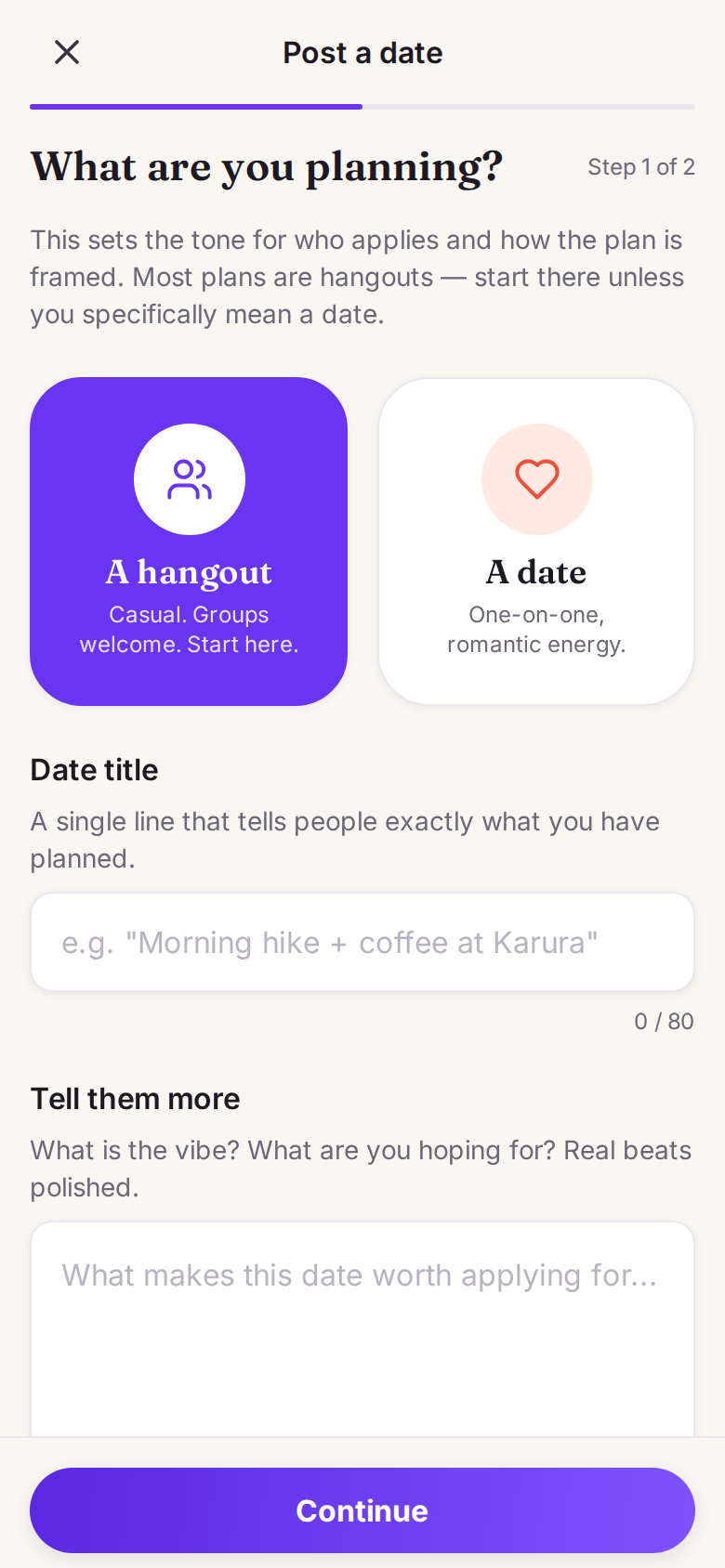
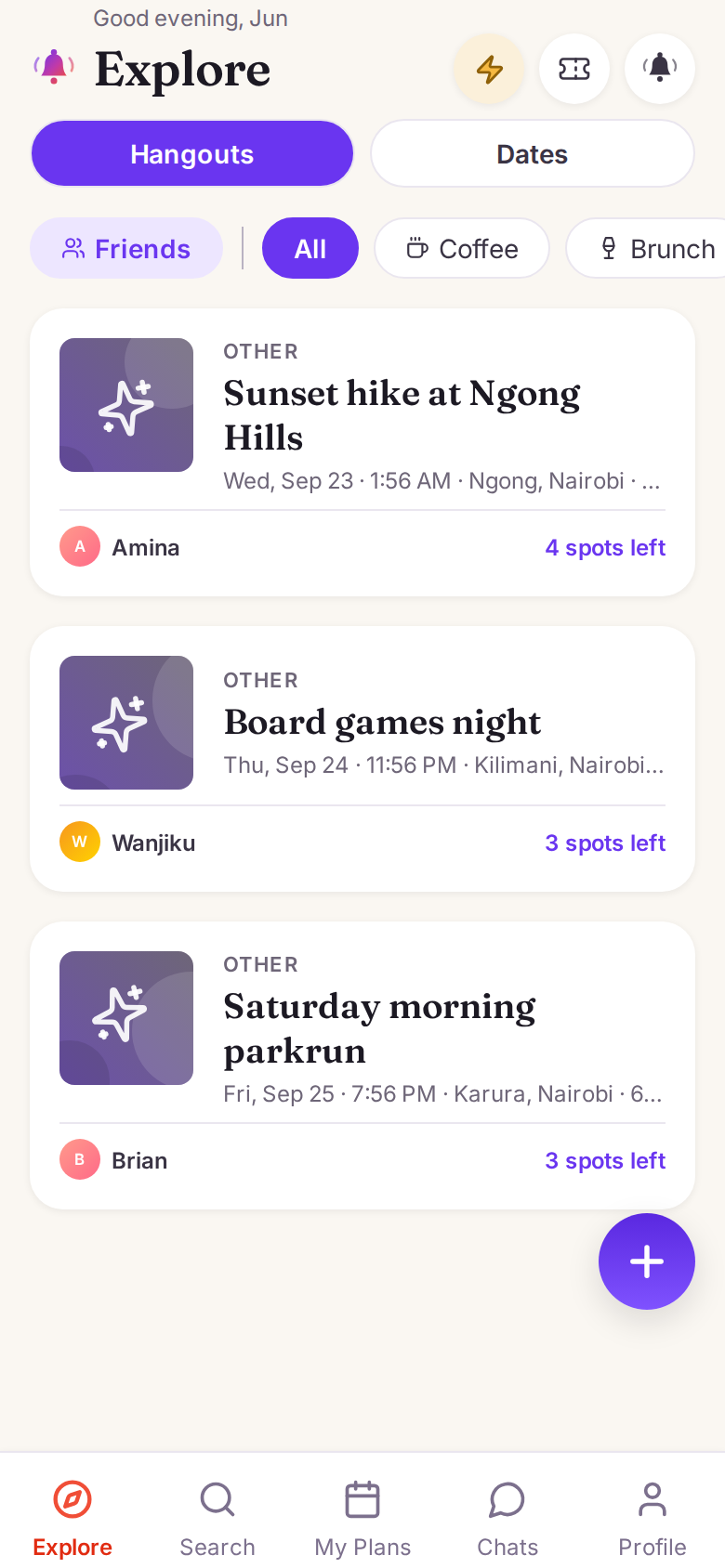
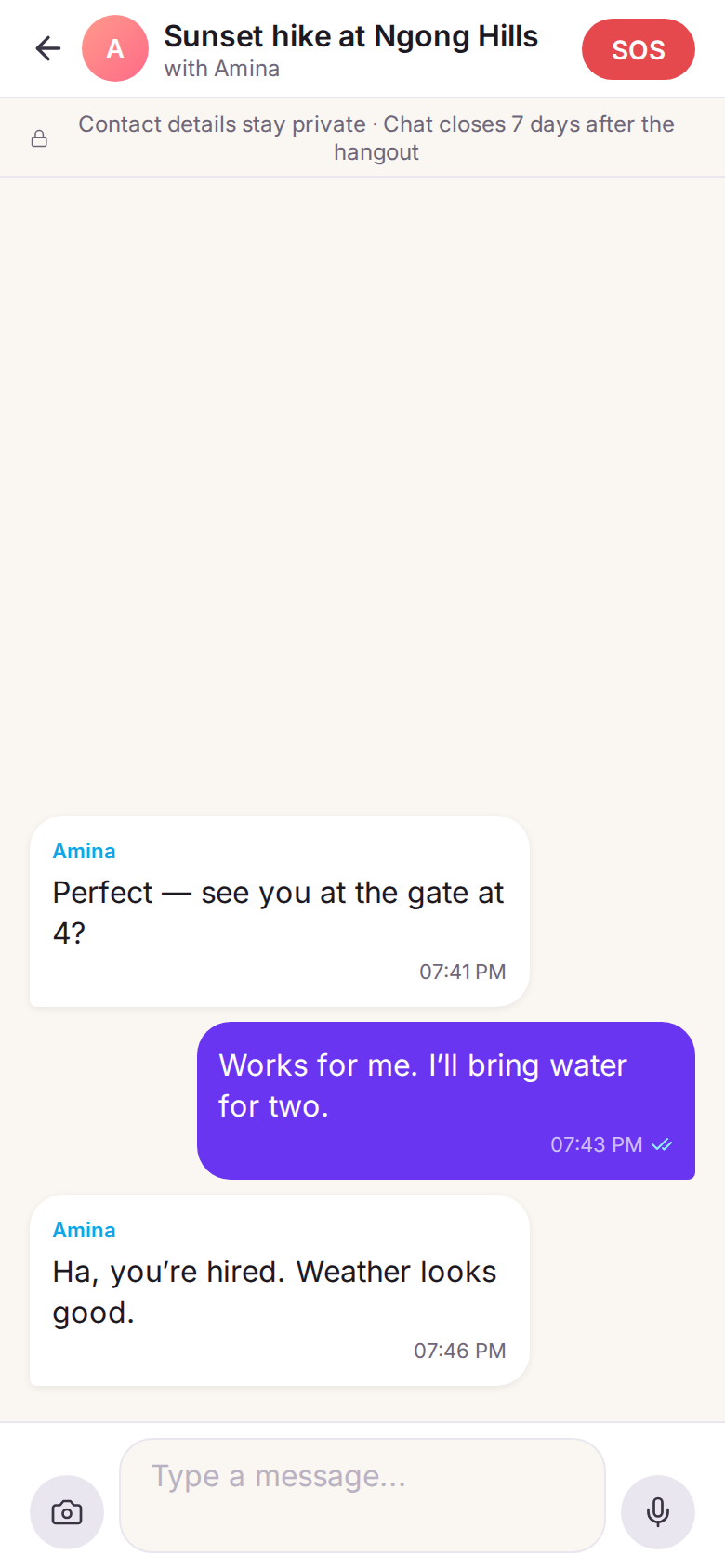
Post a plan · Find one near you · Talk, then turn up
How the credits work
Anyone can say "we met." HangTing doesn't take your word for it — when you arrive, both people scan each other's on-screen QR code. That's the only way a meetup earns "Verified" status and counts toward your public trust stats. No mutual scan? A fallback window lets both sides self-report what happened, but it never counts as verified — so the number on your profile is a real, hard-to-fake signal.
Scan while you're actually at the venue and it earns the top tier: Verified at venue. That one's optional — location off, or a weak signal indoors, and you still get the full verified badge. It's a bonus for showing up, never a barrier to it.
Your profile carries three honest numbers: verified meetups (QR-confirmed, can't be gamed), meetups verified at the venue, and flake count (visible penalty marks). No filters, no bios doing the talking — just a record of whether you actually show up.
Take it anywhere, on your terms.
Turn that into a link. Put it in a bio, send it to someone before you meet, show it to a venue you want to host at. It says one thing and nothing else: this person turns up.
You choose what it shows
Your rating, your no-show count, your photo, when you joined — each one is a switch. The verified meetup count is always there, because that's the whole point of the page.
It proves attendance, not history
Never who you met, where, when, or what kind of plan it was. No email, no phone, no location. That's what makes it safe to hand to a stranger.
Yours to take down
Nothing is public until you publish it, the link is random rather than your name, search engines are told not to index it, and one tap kills it for good.